
Installation Tools & Supplies

- $520.29SKU: PK-15308EM
Eclipse Tools PK-15308EM Field and Maintenance Kit
- 3-3/4 autorange digital multimeter
- 23pcs 1/4" driver socket set
- Heavy duty curved-claw hammer W/Fiberglass handle
- Adjustable wrench 8"
- IC extractor
$520.29Low Price Guarantee - $415.51SKU: RVS-718-BB
RVS Systems RVS-718-BB G-Series 4.3 inch Rear View Replacement Mirror Monitor with Built-In Dash Camera
- 4.3" Replacement mirror monitor
- Built-in dash camera records HD footage out front windshield
- Dash camera equipped with 140° viewing angle
- Ultra reflective - acts as mirror as well as monitor
- Adjustable distance grid lines for backing up reference
$415.51Low Price Guarantee - $406.29SKU: AR7723
APC AR7723 NetShelter Cable Management, Vertical Cable Manager
- To help eliminate cable stress and maintain a neat, organized cable layout
$406.29Low Price Guarantee - $361.60SKU: SN-E42S
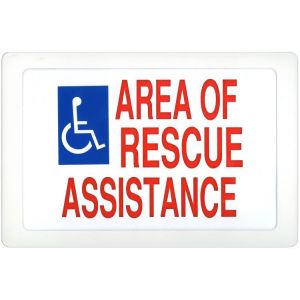
Alpha SN-E42S Rescue Assistance Sign, Electric Single Sided
- Non-returnable or refundable
$361.60Low Price Guarantee - $357.31SKU: 81221650C
Aiphone 81221650C 16 Conductor, 22AWG, Non-Shielded Wire, 500 Feet
- Length - 500' Pull-Out Box
- Adds one year to the standard Aiphone warranty
- Equipment and wire from a single source
- Wire has been tested with its corresponding system to assure the best quality performance
- UL tested
$357.31Low Price Guarantee - $313.22SKU: SLM400-KIT
Triplett SLM400-KIT Sound Level Meter and Calibrator Kit
- 35 to 130dB over 2 ranges
- ±1.5db accuracy
- A and C weighting
- Includes Type 2 Sound Level Meter with 9V battery, windscreen, stored in a pouch case
$313.22Low Price Guarantee - $290.99SKU: 8150
Triplett 8150 CamView5 CCTV Camera Tester, 5 inch Touchscreen, WiFi, HDMI Output
- All-in-one CCTV Tester
- 5-inch IPS touch screen, 1920x1080 resolutions
- 8MP CVI/ TVI/ AHD camera test
- H.265/H.264, 4K video display via mainstream
- HDMI output, support1080P
$290.99Low Price Guarantee - $281.58SKU: LT80-NIST
Triplett LT80-NIST LED Light Meter with Certificate of Traceability to N.I.S.T.
- 9999 count LCD display
- Silicon photodiode sensor and filter
- Min/Max/Avg function recalls highest, lowest, and average readings
- Data Hold freezes readings on the display
- Includes 2 AAA batteries and pouch case
$281.58Low Price Guarantee - $259.95SKU: WDL-7002M
Weldex WDL-7002M 7-inch LCD Monitor with VGA input
- Composite, VGA, video inputs
- Selectable mirror-image mode
- OSD for AV source (color, brightness, contrast, tint & volume control)
- NTSC and PAL
- Integrated audio speaker
$259.95Low Price Guarantee




Installation Tools & Supplies Frequently Asked Questions
What tools do I need to install a surveillance camera?
To install a surveillance camera, you'll typically need a drill, screwdriver, and various installation tools like cable strippers and crimpers. Additionally, having a level and measuring tape can help ensure proper placement. Depending on the type of camera, you may also need specific cables, connectors, and mounting hardware, which are often included in the camera kit.
How do I choose the right cable for my surveillance system?
The right cable for a surveillance system depends on the camera type and distance from the recording device. Common options include coaxial cables for analog cameras and Ethernet cables for IP cameras. Ensure the cable is compatible with your system's specifications, such as gauge and shielding type, to maintain video quality and prevent interference.
What is the purpose of a keystone jack in surveillance installation?
A keystone jack is used to connect cables in a structured wiring system, providing a secure and organized way to connect surveillance cameras to networking equipment. It allows for easy insertion and removal of cables, facilitating maintenance and upgrades. Using keystone jacks can help manage cable clutter and improve the overall aesthetics of your installation.
Do I need special tools for terminating alarm wire?
Yes, terminating alarm wire requires specific tools, such as a wire stripper, crimper, and possibly a punch-down tool for connecting wires to terminals. These tools ensure proper connections and minimize signal loss, which is crucial for the reliability of your alarm system. Using the right tools can also prevent damage to the wires during the termination process.
What should I consider when selecting installation supplies for my surveillance system?
When selecting installation supplies, consider the type of surveillance system, the environment (indoor or outdoor), and the distance between components. Look for high-quality cables, connectors, and tools that match the specifications of your cameras and recording devices. Additionally, ensure that the supplies are compatible with the installation location to avoid issues like signal loss or physical damage.
Filter
Shopping Options
