
Cantek Installation Tools & Supplies
Filter

- $162.00SKU: CT-W-T5082
Cantek CT-W-T5082 Crimper for Waterproof BNC/RCA/RG58(RG-59,RG-6) Connectors
- Waterproof Connectors
$162.00Low Price Guarantee - $31.05SKU: CT-W-A4-22-500
Cantek CT-W-A4-22-500 Alarm Cable, 4 x 22 AWG Solid Bare Copper, 500 Feet, UL Listed
- 22/4 AWG Wire Type
- Cable Length 500'
$31.05Low Price Guarantee - $416.16SKU: CT-HDMT5500-T
Cantek CT-HDMT5500-T 5" All In One CCTV Tester
- 5 inch IPS touch screen, 1920x1080 resolutions
- 8MP CVI/ TVI/ AHD camera test
- 8MP EX-SDI, HD-SDI, 3G-SDI test
- H.265/H.264, 4K video display via mainstream
- VGA input, support 1920 x 1200P 60FPS
$416.16Low Price Guarantee - $268.50SKU: CT-W-HDMT3520
Cantek CT-W-HDMT3520 3.5 Inch Digital TFT-LCD Monitor
- 3.5 inch screen display, 480 (RGB) x 320 resolution
- Low power consumption, working time lasts 11 hours
- LCD screen brightness/contrast/color saturation adjustable NTSC/PAL auto adjust
- CVI/TVI/AHD coaxial camera image display, coaxial PTZ control and call up the camera OSD menu
- LED Flashlight
$268.50Low Price Guarantee - $265.50SKU: CT-W-CAT6-CMP-UL-W
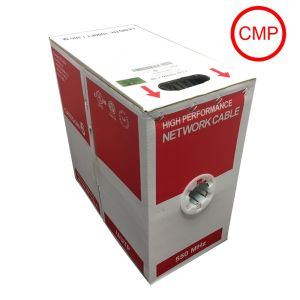
Cantek CT-W-CAT6-CMP-UL-W 1000ft, 23 AWG 4 Twisted Pair Unshielded CCU UTP Cable, White
- Conductor: 23AWG (1/0.56mm) Pure Copper Insulation: HDPE 0.96mm
- Nos of Twisted Pairs: 4 Pairs
- Separator: Polyolefin Tape
- Filler: Rip Cord
- Jacket: CMP Grade signifies cable that has passed stringent burn testing and is suitable for installation into Air Plenum spaces
$265.50Low Price Guarantee - $265.50SKU: CT-W-CAT6-CMP-UL-B
Cantek CT-W-CAT6-CMP-UL-B 1000ft, 23 AWG 4 Twisted Pair Unshielded CCU UTP Cable, Black
- Conductor: 23AWG (1/0.56mm) Pure Copper Insulation: HDPE 0.96mm
- Nos of Twisted Pairs: 4 Pairs
- Separator: Polyolefin Tape
- Filler: Rip Cord
- Jacket: CMP Grade signifies cable that has passed stringent burn testing and is suitable for installation into Air Plenum spaces
$265.50Low Price Guarantee - $250.60SKU: CT-W-HDMT3600
Cantek CT-W-HDMT3600 8MP TVI/4MP CVI/5MP AHD Multi-functions CCTV Tester
- 8MP TVI/4MP CVI/5MP AHD/4K H.265 IP /CVBS
- H.265/H.264, 4K video display via mainstream
- Dahua, Hikvision, Axis etc ONVIF camera test
- Rapid ONVIF, auto view video and create testing report
- DC12V 3A, DC48V PoE power output
$250.60Low Price Guarantee - $232.70$232.70Low Price Guarantee
- $220.18SKU: CT-W-IPMT3510
Cantek CT-W-IPMT3510 3.5 Inch Touch Screen Display
- Capacity touch screen 3.5 inch wide angle screen display, 320 (RGB)*240 resolution
- ONVIF IP camera test, support 1080P
- Handheld designer, easy to carry and operate
- Video system, support NTSC/PAL
- Apps folder
$220.18Low Price Guarantee




Installation Tools & Supplies Frequently Asked Questions
What tools do I need to install a surveillance camera?
To install a surveillance camera, you'll typically need a drill, screwdriver, and various installation tools like cable strippers and crimpers. Additionally, having a level and measuring tape can help ensure proper placement. Depending on the type of camera, you may also need specific cables, connectors, and mounting hardware, which are often included in the camera kit.
How do I choose the right cable for my surveillance system?
The right cable for a surveillance system depends on the camera type and distance from the recording device. Common options include coaxial cables for analog cameras and Ethernet cables for IP cameras. Ensure the cable is compatible with your system's specifications, such as gauge and shielding type, to maintain video quality and prevent interference.
What is the purpose of a keystone jack in surveillance installation?
A keystone jack is used to connect cables in a structured wiring system, providing a secure and organized way to connect surveillance cameras to networking equipment. It allows for easy insertion and removal of cables, facilitating maintenance and upgrades. Using keystone jacks can help manage cable clutter and improve the overall aesthetics of your installation.
Do I need special tools for terminating alarm wire?
Yes, terminating alarm wire requires specific tools, such as a wire stripper, crimper, and possibly a punch-down tool for connecting wires to terminals. These tools ensure proper connections and minimize signal loss, which is crucial for the reliability of your alarm system. Using the right tools can also prevent damage to the wires during the termination process.
What should I consider when selecting installation supplies for my surveillance system?
When selecting installation supplies, consider the type of surveillance system, the environment (indoor or outdoor), and the distance between components. Look for high-quality cables, connectors, and tools that match the specifications of your cameras and recording devices. Additionally, ensure that the supplies are compatible with the installation location to avoid issues like signal loss or physical damage.
Filter
Now Shopping by
Shopping Options 