
Power

- $145.20SKU: P9W10DUL
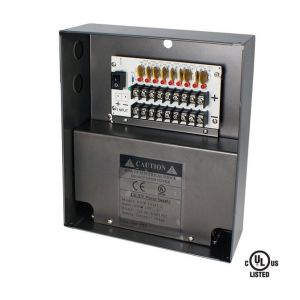
Speco P9W10DUL 9 Channel 12VDC Power Supply with 10A Output
- UL listed
- 12VDC fused output for 9 cameras
- More than 1A per channel output
- Individual PTC auto reset fuse for each output
- Individual LED status indicator for each output
$145.20Low Price Guarantee - $126.99SKU: 561648
Intellinet 561648 IPE-OD2G60 2-Port Outdoor Vandalproof Gigabit PoE++ Extender
- Doubles the maximum connection distance between PoE source and device from 100 m (328 ft.) to 200 m (656 ft.)
- Connects and powers two PoE devices, such as network cameras, wireless access points or VoIP phones, from a PSE port on a PoE injector or PoE switch
- Delivers up to 60 W to two connected PoE devices with per-port power up to 30 W
- IP67-rated, dustproof and waterproof
- IK10-rated, vandal-proof
$126.99Low Price Guarantee - $106.00SKU: CP1208-16A-4K
ENS CP1208-16A-4K 12VDC, 8 Channel Power Supply, 16A, PTC (Resetable 2A) Fuse
- Input Voltage 100V - 240V
- 8 Channels
- Inrush Current ≤ 50A
- DC Output voltage range 12V - 15V
- DC Output Current 16A
$106.00Low Price Guarantee - $88.21SKU: PT724A
Altronix PT724A 1 Channel, LCD Display, Battery Charger, Annual Event Timer
- 12 to 24 volts AC or DC operation
- Standby current: 10mA (relay off) 50mA (relay on)
- Battery charging current: 100mA
- Form ″C″ relay contacts are rated 10amp @120VAC/28VDC
- EE Prom memory protects against loss of programming due to power failure
$88.21Low Price Guarantee - $71.28SKU: CTW-UL12VDC9P10A
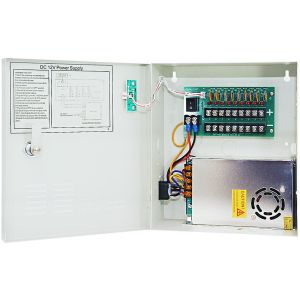
Cantek CTW-UL12VDC9P10A 9 PTC Output CCTV Distributed Power Supply, UL Listed
- Input 110/120 VAC
- Output 12V DC, 9channels
- 10Amp Supply Current
- Integral Surge Protection
- Individual LED Power Indication
$71.28Low Price Guarantee - $69.00SKU: CP1209-10A
ENS CP1209-10A 12VDC 9 Channel Power Supply, 10 AMP
- 12V DC, 9CH
- PTC Fuse
- 10Amps Power Box
- Fuse Rating: 2.0 Amp
- 110V AC input
$69.00Low Price Guarantee - $63.60SKU: DTK-4LVLPCR
Ditek DTK-4LVLPCR Card Reader Surge Protection
- Series connection, parallel function adds no resistance to loop circuits
- Protect power, LED and data lines (4LVLPCR)
- Single ground point for all protected circuits
$63.60Low Price Guarantee - $57.20SKU: DTK-120HW
Ditek DTK-120HW 120VAC Surge Protective Device
- Approved for 20A circuit breakers
- NEMA 4X weatherproof enclosure allows for use in harsh environments
- Diagnostic LED indicates ground presence, system power and SPD function
- Complies with ANSI/IEEE C62.41 and C62.45 category B standards
$57.20Low Price Guarantee - $57.20SKU: DTK-VSPBNCA
Ditek DTK-VSPBNCA Coaxial Line Surge Protector
- Protects analog or digital video/data lines
- Small footprint makes installation easy
- Recommended for applications where AC power is already protected
- Can protect one or two lines
$57.20Low Price Guarantee




Power Supply Frequently Asked Questions
What is a power supply for surveillance cameras?
A power supply for surveillance cameras is a device that provides the necessary electrical power to operate the cameras. It converts the electrical voltage from a wall outlet to the specific voltage required by the cameras, ensuring they function correctly and consistently.
How do I choose the right power supply for my surveillance system?
To choose the right power supply, consider the voltage and current requirements of your surveillance cameras. Check the specifications to ensure compatibility. Additionally, factor in the number of cameras you will be connecting to the power supply to ensure it can handle the total load.
What is the difference between a standard power supply and a UPS for surveillance systems?
A standard power supply provides continuous power to surveillance cameras, while an uninterruptible power supply (UPS) offers backup power during outages. A UPS ensures that cameras remain operational during power failures, providing added security and preventing data loss.
Can I use a power supply with multiple cameras?
Yes, you can use a power supply with multiple cameras, provided it has enough power output to support the total current draw of all connected cameras. It is essential to check the power supply's specifications and the cameras' requirements to ensure proper functionality.
What should I do if my surveillance camera is not getting power?
If your surveillance camera is not getting power, first check the power supply connections to ensure they are secure. Verify that the power supply is functioning correctly and providing the required voltage. If issues persist, consider inspecting the camera for faults or refer to the manufacturer’s warranty page for further assistance.
Filter
Shopping Options
