
Bogen Power
Filter

- $72.99SKU: MT300M
Bogen MT300M 25V/70V Matching Transformer Module, Max. 250W
- 250-watt maximum load capacity
- 1 two-pin pluggable Phoenix style input connector
- 1 three-pin pluggable Phoenix style output connector
- 25V and 70V audio outputs (only one can be used at a time)
- Wall mount ears included; optional rack mount bracket kit (NQ-RMK02) available
$72.99Low Price Guarantee - $64.99SKU: TL100
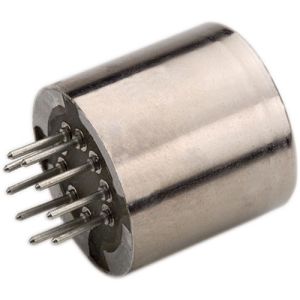
Bogen TL100 Plug-in Transformer
- Provides balanced, isolated, 1:1
- Transformer connections terminated in a keyed nine-pin miniature plug
- Compact, plug-in design
- Internal mumetal shielding
$64.99Low Price Guarantee - $1,861.00SKU: 1-HH BAT
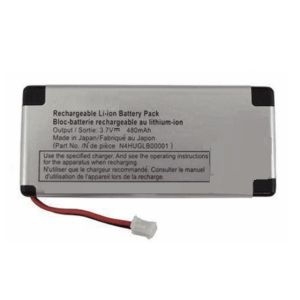
Bogen 1-HH BAT Rechargeable Replacement Battery for 1HH Self Powered Speaker
- Rechargeable Replacement Battery for 1HH Self-Powered Speaker
$1,861.00Low Price Guarantee - $268.28SKU: SPS2466
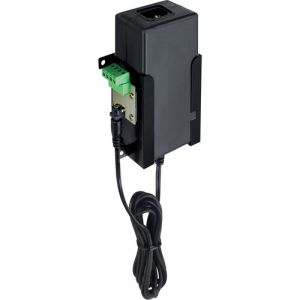
Bogen SPS2466 24V Switching Power Supply
- Approved equivalent and shall supply regulated 24V DC at 6.6A (132 CU) from a 120V AC, 60 Hz source
- Power supply shall employ switching technology that shall result in large current capacities while generating minimal heat
- Power supply shall include a power LED
- wall mountable using a holster with pluggable terminal strip
$268.28Low Price Guarantee - $184.00$184.00Low Price Guarantee
- $114.59SKU: SPS2425
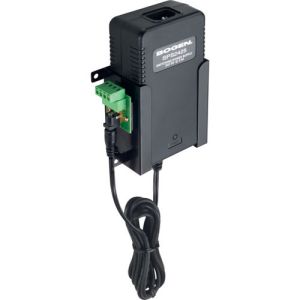
Bogen SPS2425 24V DC @ 2.5A Power Supply
- Includes holster for wall mounting and pluggable terminal strips for connection
$114.59Low Price Guarantee - $87.96SKU: SPS2410
Bogen SPS2410 24VDC @ 1A Power Supply
- Includes holster for wall mounting and pluggable terminal strips for connection
$87.96Low Price Guarantee - $76.62$76.62Low Price Guarantee
- $63.04SKU: UHFADS-RPS
Bogen UHFADS-RPS Power Supply for UHFADS, 60W (Replacement)
- Power Supply for UHFADS, 60W (Replacement)
$63.04Low Price Guarantee




Power Supply Frequently Asked Questions
What is a power supply for surveillance cameras?
A power supply for surveillance cameras is a device that provides the necessary electrical power to operate the cameras. It converts the electrical voltage from a wall outlet to the specific voltage required by the cameras, ensuring they function correctly and consistently.
How do I choose the right power supply for my surveillance system?
To choose the right power supply, consider the voltage and current requirements of your surveillance cameras. Check the specifications to ensure compatibility. Additionally, factor in the number of cameras you will be connecting to the power supply to ensure it can handle the total load.
What is the difference between a standard power supply and a UPS for surveillance systems?
A standard power supply provides continuous power to surveillance cameras, while an uninterruptible power supply (UPS) offers backup power during outages. A UPS ensures that cameras remain operational during power failures, providing added security and preventing data loss.
Can I use a power supply with multiple cameras?
Yes, you can use a power supply with multiple cameras, provided it has enough power output to support the total current draw of all connected cameras. It is essential to check the power supply's specifications and the cameras' requirements to ensure proper functionality.
What should I do if my surveillance camera is not getting power?
If your surveillance camera is not getting power, first check the power supply connections to ensure they are secure. Verify that the power supply is functioning correctly and providing the required voltage. If issues persist, consider inspecting the camera for faults or refer to the manufacturer’s warranty page for further assistance.
Filter
Now Shopping by
Shopping Options 