
Installation Tools & Supplies

- $452.00SKU: 97-0406131
Kramer 97-0406131 Active Optical 4K Pluggable HDMI Cable — Low Smoke & Halogen Free, 131'
- Video Resolution - Up to 4K@60Hz (4:4:4)
- High Data Transfer Rate - Up to 18Gbps
- Embedded Audio - PCM 8–channel, Dolby Digital True HD and DTS–HD Master Audio
- HDMI Support - HDCP 2.2, HDR, EDID and CEC
- High–Quality Connectors - 24K gold–plated, corrosion–resistant and best possible connectivity
$452.00Low Price Guarantee - $59.68SKU: Mx-ONE-CBL-S02-AN
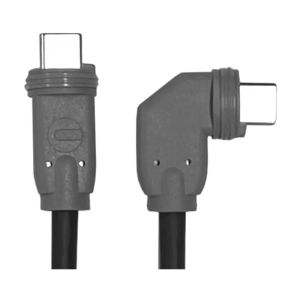
Mobotix Mx-ONE-CBL-S02-AN One S1x Straight-Angled Sensor Cable, 2 Meter
- Sensor cable, straight-angled, length 2 m/6.6 ft
- For connecting sensor modules includes BlockFlexMount to the S ONE Dual camera housing (Mx-ONE-S1A-D)
$59.68Low Price Guarantee - $46.66SKU: Mx-ONE-CBL-S01-AN
Mobotix Mx-ONE-CBL-S01-AN One S1x Straight-Angled Sensor Cable, 1 Meter
- Sensor cable, straight-angled, length 1 m/3.3 ft
- For connecting sensor modules includes BlockFlexMount to the S ONE Dual camera housing (Mx-ONE-S1A-D)
$46.66Low Price Guarantee - $1,099.45SKU: 1PR2218PBK1000
West Penn 1PR2218PBK1000 OSDP Composite Cable, 1 Pair 22 AWG Shielded + 18/2 Power, CMP Plenum, Black, 1000'
- Composite construction: 1 pair 22 AWG aluminum-shielded signal conductors (for RS-485/OSDP data) + 18/2 AWG power conductors (for reader power supply), all under a single black PVC outer jacket; 1,000-foot reel
- CMP plenum rating: the highest cable fire-safety rating, required by NEC 800.154 when the cable is routed through air-handling ceiling plenums and HVAC return-air spaces in commercial buildings — a single plenum-rated composite cable eliminates the need for separate conduit or CMR-rated cable in plenum paths
- Single-cable OSDP installation: one cable run carries both the RS-485 OSDP serial data to the card reader and the 12-24VDC power to the reader, eliminating a second cable pull and reducing material and labor cost compared to separate data and power cables
$1,099.45Low Price Guarantee - $9.45SKU: CBA-U01-S07ZAR
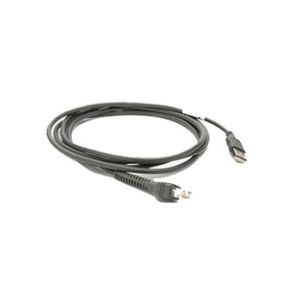
Zebra CBA-U01-S07ZAR 7 Feet USB Cable Series A Connector
- 4 pin USB Type A (M)
- 7 Feet
- For Zebra DS9808, LS1203, LS2208, LS7808, LS9203i, LS9208i; LS 1203, 2208, 7808, 9203i, 9208i
- RJ-45 (M)
- Gray
$9.45Low Price Guarantee - $612.00SKU: ICCABT6AWH
ICC ICCABT6AWH Cat6A UTP Solid Plenum Cable, 23 AWG, White, 1000' Reel
- UL Listed Plenum-Rated Cable
- National Electrical Code (NEC) Compliant
- PoE++ Rated Network Cable for Powering Devices
- TAA Compliant & Section 889 Certified
- Convenient Packaging
$612.00Low Price Guarantee - $612.00SKU: ICCABT6ABL
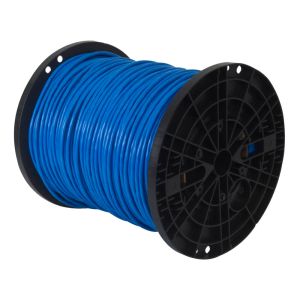
ICC ICCABT6ABL Cat6A UTP Solid Plenum Cable, 23 AWG, Blue, 1000' Reel
- UL Listed Plenum-Rated Cable
- National Electrical Code (NEC) Compliant
- PoE++ Rated Network Cable for Powering Devices
- TAA Compliant & Section 889 Certified
- Convenient Packaging
$612.00Low Price Guarantee - $60.00SKU: Label-Kiosk
ZKAccess Label-Kiosk Kiosk Labels
- Kiosk-format visitor badge label roll for use with ZKAccess self-service visitor check-in kiosk deployments; provides the label media for automatic visitor badge printing at self-service lobby kiosk stations
- Self-service kiosk visitor check-in: visitors scan their ID, enter host information, and print a visitor badge without a receptionist; the Label-Kiosk provides the label media for the badge printer integrated into or adjacent to the self-service kiosk
- Labels are consumables; stock based on daily visitor kiosk traffic volume
$60.00Low Price Guarantee - $45.00SKU: Label-Dymo
ZKAccess Label-Dymo Dymo Printer Label
- Dymo LabelWriter-series compatible label roll for use with the ZKAccess visitor management badge printing workflow and the Dymo LabelWriter 550 printer
- Visitor badge labels: used in ZKAccess visitor check-in workflows to print visitor badges with the visitor's name, host, date/time, and authorized access area upon successful registration and ID verification
- Dymo LabelWriter label rolls are available in multiple formats (address labels, name badges, file folder labels, etc.) — confirm the correct Dymo label part number for the badge size and format configured in ZKAccess visitor management
- Labels are consumables; stock based on daily visitor volume
$45.00Low Price Guarantee




Installation Tools & Supplies Frequently Asked Questions
What tools do I need to install a surveillance camera?
To install a surveillance camera, you'll typically need a drill, screwdriver, and various installation tools like cable strippers and crimpers. Additionally, having a level and measuring tape can help ensure proper placement. Depending on the type of camera, you may also need specific cables, connectors, and mounting hardware, which are often included in the camera kit.
How do I choose the right cable for my surveillance system?
The right cable for a surveillance system depends on the camera type and distance from the recording device. Common options include coaxial cables for analog cameras and Ethernet cables for IP cameras. Ensure the cable is compatible with your system's specifications, such as gauge and shielding type, to maintain video quality and prevent interference.
What is the purpose of a keystone jack in surveillance installation?
A keystone jack is used to connect cables in a structured wiring system, providing a secure and organized way to connect surveillance cameras to networking equipment. It allows for easy insertion and removal of cables, facilitating maintenance and upgrades. Using keystone jacks can help manage cable clutter and improve the overall aesthetics of your installation.
Do I need special tools for terminating alarm wire?
Yes, terminating alarm wire requires specific tools, such as a wire stripper, crimper, and possibly a punch-down tool for connecting wires to terminals. These tools ensure proper connections and minimize signal loss, which is crucial for the reliability of your alarm system. Using the right tools can also prevent damage to the wires during the termination process.
What should I consider when selecting installation supplies for my surveillance system?
When selecting installation supplies, consider the type of surveillance system, the environment (indoor or outdoor), and the distance between components. Look for high-quality cables, connectors, and tools that match the specifications of your cameras and recording devices. Additionally, ensure that the supplies are compatible with the installation location to avoid issues like signal loss or physical damage.
Filter
Shopping Options
