
Network Equipment
Build a reliable, easy-to-manage IP surveillance system with the right network pieces from one place. Start with your cameras (IP cameras) and recording (NVR recorders), then connect everything with network switches (PoE simplifies power and cabling). Extend or adapt runs using network devices like PoE injectors, splitters, and long-distance extenders. No Ethernet nearby? Powerline networking can bridge from a wall outlet. For Wi-Fi add-ons, see network routers. Finally, manage live view, playback, alerts, and user access with video management software—most options offer mobile apps and simple setup for homeowners.
Featured Networking Equipment Manufacturers


- $421.01SKU: 55-CTRLC-000
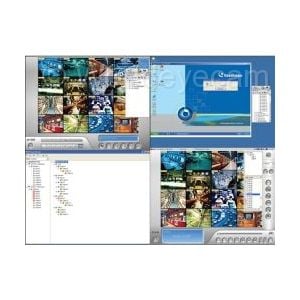
Geovision GV-Control Center
- Remote DVR Configuration: Full control of local DVR settings
- Remote Desktop: Remote access to local DVR desktop
- Matrix View: Remotely monitor, record and playback from 1000 hosts
- Remote ViewLog: Playback of recorded videos from local GV-Systems
- I/O Central Panel: Group, manage and remotely configure I/O devices
$421.01Low Price Guarantee - $136.80SKU: 55-DSPCH-000
Geovision GV-Dispatch Server
- Create, edit groups of GV-Center V2 servers and subscribers
- Up to 50 GV-Center V2 servers and 25,000 GV-System subscribers manageable
- Network Load Balancing: Distribute GV-System requests to GV-Center V2 servers by Group or by least connections available
- Direct GV-Center V2 servers to GV-Dispatch server available
- View real-time GV-Center V2 events and attached videos
$136.80Low Price Guarantee - $228.00SKU: 55-RDDE0-128
Geovision Redundant Server Devices 128CH Software
- Record up to 128 IP channels simultaneously
- Support round-the-clock recording
- Video playback using Remote ViewLog
- Support for remote configuration and monitoring of GV-Redundant Server using Internet Explorer, Firefox, Google Chrome and Safari
- Support 6 third-party IP device brands (Arecont Vision, Axis, HikVision, Panasonic, Sony, VIVOTEK)
$228.00Low Price Guarantee - $228.00SKU: 55-FSCH0-128
Geovision GV-Failover Server Failover Server Channels 128CH Software
- Record up to 128 IP channels simultaneously
- Support round-the-clock recording
- Video playback using Remote ViewLog
- Support for remote configuration and monitoring of GV-Redundant Server using Internet Explorer, Firefox, Google Chrome and Safari
- Support 6 third-party IP device brands (Arecont Vision, Axis, HikVision, Panasonic, Sony, VIVOTEK)
$228.00Low Price Guarantee - $78.00SKU: 55-NR001-000
Geovision GV-NR001 3rd Party 1 Camera License for GV-NVR Software
- Support for FE110 fisheye camera and ImmerVision IMV1 Panomorph lens
- Video compacting by keeping key frames only
- Schedule center for compacting video, merging video, and fast backup and restore
- Face count function
- Compatibility with IP devices using ONVIF/PSIA standards
$78.00Low Price Guarantee - $128.40SKU: 55-NR002-000
Geovision GV-NR002 3rd Party 2 Camera License for GV-NVR Software
- Support for FE110 fisheye camera and ImmerVision IMV1 Panomorph lens
- Video compacting by keeping key frames only
- Schedule center for compacting video, merging video, and fast backup and restore
- Face count function
- Compatibility with IP devices using ONVIF/PSIA standards
$128.40Low Price Guarantee - $300.58SKU: 55-NR006-000
Geovision GV-NR006 3rd Party 6 Camera License for GV-NVR Software
- Support for FE110 fisheye camera and ImmerVision IMV1 Panomorph lens
- Video compacting by keeping key frames only
- Schedule center for compacting video, merging video, and fast backup and restore
- Face count function
- Compatibility with IP devices using ONVIF/PSIA standards
$300.58Low Price Guarantee - $496.00SKU: 55-NR008-000
Geovision GV-NR008 3rd Party 8 Camera License for GV-NVR Software
- Support for FE110 fisheye camera and ImmerVision IMV1 Panomorph lens
- Video compacting by keeping key frames only
- Schedule center for compacting video, merging video, and fast backup and restore
- Face count function
- Compatibility with IP devices using ONVIF/PSIA standards
$496.00Low Price Guarantee - $594.00SKU: 55-NR010-000
Geovision GV-NR010 3rd Party 10 Camera License for GV-NVR Software
- Support for FE110 fisheye camera and ImmerVision IMV1 Panomorph lens
- Video compacting by keeping key frames only
- Schedule center for compacting video, merging video, and fast backup and restore
- Face count function
- Compatibility with IP devices using ONVIF/PSIA standards
$594.00Low Price Guarantee


Network Frequently Asked Questions
What is a network surveillance camera?
A network surveillance camera is a digital video camera that transmits data over a network, allowing for remote viewing and recording. These cameras connect to a local area network (LAN) or the internet, enabling users to monitor their property from anywhere. They typically offer higher resolutions, advanced features like motion detection, and can integrate with various security systems.
How does a network camera differ from an analog camera?
Network cameras use digital signals to transmit video over a network, while analog cameras send video signals through coaxial cables. This difference allows network cameras to provide higher image quality, more flexibility in installation, and the ability to be accessed remotely. Additionally, network cameras often support advanced features such as analytics and cloud storage.
What are the benefits of using PoE (Power over Ethernet) for surveillance cameras?
PoE allows network cameras to receive power and data through a single Ethernet cable, simplifying installation and reducing clutter. This technology eliminates the need for separate power sources, making it easier to place cameras in various locations. PoE also enhances reliability and can be more cost-effective, especially in larger installations.
Can I access my network surveillance cameras remotely?
Yes, most network surveillance cameras come with remote access capabilities. This allows homeowners to view live feeds and recorded footage from their smartphones, tablets, or computers via an internet connection. Remote access often requires setting up an account with the camera manufacturer or using a specific app designed for the camera system.
What should I consider when choosing a network surveillance camera?
When selecting a network surveillance camera, consider factors such as resolution, field of view, night vision capabilities, and whether it supports PoE. Additionally, evaluate the camera's compatibility with existing security systems, storage options (cloud vs. local), and any advanced features like motion detection or two-way audio.
Filter
Shopping Options
