
IP-COM Speco Comnet Interlogix Network Software - Management Software
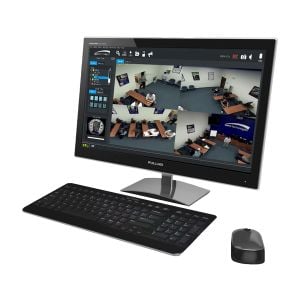
Run your IP surveillance like a pro with the right software stack. Use video management software to handle live view, playback, alerts, and user roles; add analytics (LPR, people counting, face detection), and keep everything resilient with failover and redundant servers. Works hand-in-hand with your IP cameras and NVR recorders, and most options include mobile apps for easy remote access.
Featured Network Software Manufacturers


Filter

- $8,538.00SKU: eConsole500
Comnet eConsole500 Powerful Network Management Windows Utility Suite for Up to 500 ComNet Switches
- Device configuration scan
- IP setting group wizard, firmware upgrade group wizard, and redundant ring (C-Ring) setting wizard
- Status Monitoring and Alarm
- Network analysis function
- Draw the whole network topology automatically plus available path management
$8,538.00Low Price Guarantee - $5,073.37SKU: eConsole250
Comnet eConsole250 Powerful Network Management Windows Utility Suite for Up to 250 ComNet Switches
- Device configuration scan
- IP setting group wizard, firmware upgrade group wizard, and redundant ring (C-Ring) setting wizard
- Status Monitoring and Alarm
- Network analysis function
- Draw the whole network topology automatically plus available path management
$5,073.37Low Price Guarantee - $2,149.82SKU: eConsole100
Comnet eConsole100 Powerful Network Management Windows Utility Suite for Up to 100 ComNet Switches
- Device configuration scan
- IP setting group wizard, firmware upgrade group wizard, and redundant ring (C-Ring) setting wizard
- Status Monitoring and Alarm
- Network analysis function
- Draw the whole network topology automatically plus available path management
$2,149.82Low Price Guarantee - Call For Price: 800-955-5201SKU: SECUREGUARD
Speco SecureGuard VMS Software - Free for Channels 1-32
- ONVIF - Supports flexibility and interoperability giving the option to view and record other manufacturer cameras that are ONVIF Profile S or T compliant
- Speco Access - Add and manage your Speco Access devices in your installation allowing for the management of users and linking channels to doors. Mapping your doors on E-maps is also possible
- Server Monitoring - A dedicated Speco server will monitor your installation and will send an email notification upon a status change loss in communication or re-established connection
- Archive to the Speco Cloud - Archive crucial channel footage to Speco's Cloud for long term retention
- Call For Price: 800-955-5201



Network Software Frequently Asked Questions
What is surveillance software and how does it work?
Surveillance software is a program designed to manage and control security cameras and video storage systems. It allows users to view live feeds, record footage, and analyze video data. The software typically supports various camera types, offers features like motion detection, and enables remote access, making it essential for effective monitoring of homes and businesses.
How many cameras can I connect to my surveillance software?
The number of cameras you can connect to surveillance software varies by the specific software and its licensing model. Some software allows for a limited number of cameras, while others can support dozens or even hundreds. It's important to check the specifications and licensing options to ensure that your setup meets your monitoring needs.
Can surveillance software be used with existing cameras?
Yes, many surveillance software solutions are compatible with a wide range of existing cameras, including IP and analog models. However, compatibility depends on the software and the camera's specifications. Always verify that your current cameras are supported by the software to ensure seamless integration.
Is remote access available with surveillance software?
Most modern surveillance software offers remote access capabilities, allowing users to view live feeds and recorded footage from anywhere using a smartphone, tablet, or computer. This feature enhances security by enabling homeowners to monitor their property in real-time, even when they are away.
What should I consider when choosing surveillance software?
When selecting surveillance software, consider factors such as compatibility with your cameras, the number of cameras supported, user interface, storage options, and additional features like motion detection and alerts. It's also essential to evaluate the software's scalability for future expansion and its ability to meet your specific security needs.
Filter
Now Shopping by
Shopping Options 