
Vitek ICRealtime Installation Tools & Supplies
Filter

- $28.92SKU: CABLE-VP60
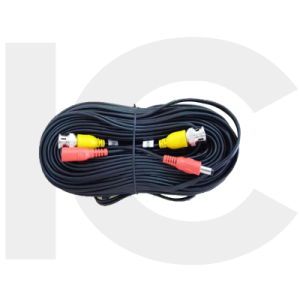
ICRealtime CABLE-VP60 60 Feet Cable with Video / Power
- 60 Feet Cable With Video / Power
$28.92Low Price Guarantee - $1,554.00SKU: ITM-9000-V3
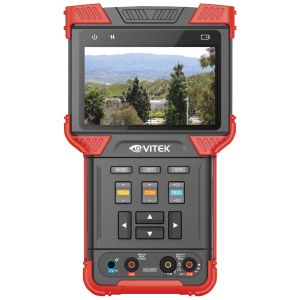
ICRealtime ITM-9000-V3 Multi-Function Test Tool
- 4.0" TFT screen, 800 X 480 resolution
- H.264/H.265 decoding support for IPC
- HD AVS/AHD/TVI/CVBS video support
- 12V/2A DC power supply for the camera
- Supports RS - 485 control and audio test
$1,554.00Low Price Guarantee - $577.78SKU: VT-TC501M
Vitek VT-TC501M 5-IN-1 Multi Signal Tester and Monitor with Digital Multimeter
- 5-IN-1 multi-signal tester and monitor with the digital multimeter
- Supports IP, TVI, AHD, CVI & CVBS Signals. Carry Case included
$577.78Low Price Guarantee - $470.00SKU: SC1000B
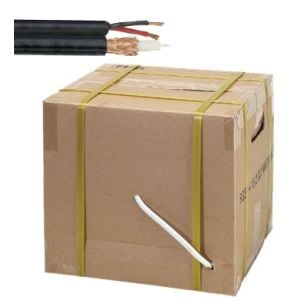
ICRealtime SC1000B 1000' Siamese Cable Spool 95% Copper Black
- Black Color
- Easy To Use Spool
- Unshielded 18 AWG Twisted Pair for Data Signals
- Coax Solid Bare Copper Conductor 20 AWG
- UL Certified RJ59/U Siamese Cable
$470.00Low Price Guarantee - $230.00SKU: SC500B
ICRealtime SC500B 500' Siamese Cable Spool 95% Copper Black
- Easy To Use Pull Box Package
- Unshielded 18 AWG Twisted Pair for Data Signals
- Coax Solid Bare Copper Conductor 20 AWG
- UL Certified RJ59/U Siamese Cable
- Black Color
$230.00Low Price Guarantee - $38.00$38.00Low Price Guarantee
- $26.67SKU: VT-HDMI-10
Vitek VT-HDMI-10 HDMI Cable, Black, 10 Feet
- Supports up to 1080p Resolution
- 28AWG Construction
- Triple Shielding
$26.67Low Price Guarantee - $22.20SKU: VT-RG-182-50
Vitek VT-RG-182-50 50 Feet Combo Cable w/RG179U Mini Coax, BNC
- Integrated RG179U Coaxial/Power Cable
- Length - 50' (15.24m)
- 18 AWG Cable
- BNC / 2.1mm Power Connectors
$22.20Low Price Guarantee - $21.98SKU: VT-RG179-50
Vitek, VT-RG179-50, 50’ BNC RG179 Jumper Cable
- Used for CCTV Surveillance systems
- RG179 wire type
- Length 50'
- BNC Jumper cable
$21.98Low Price Guarantee




Installation Tools & Supplies Frequently Asked Questions
What tools do I need to install a surveillance camera?
To install a surveillance camera, you'll typically need a drill, screwdriver, and various installation tools like cable strippers and crimpers. Additionally, having a level and measuring tape can help ensure proper placement. Depending on the type of camera, you may also need specific cables, connectors, and mounting hardware, which are often included in the camera kit.
How do I choose the right cable for my surveillance system?
The right cable for a surveillance system depends on the camera type and distance from the recording device. Common options include coaxial cables for analog cameras and Ethernet cables for IP cameras. Ensure the cable is compatible with your system's specifications, such as gauge and shielding type, to maintain video quality and prevent interference.
What is the purpose of a keystone jack in surveillance installation?
A keystone jack is used to connect cables in a structured wiring system, providing a secure and organized way to connect surveillance cameras to networking equipment. It allows for easy insertion and removal of cables, facilitating maintenance and upgrades. Using keystone jacks can help manage cable clutter and improve the overall aesthetics of your installation.
Do I need special tools for terminating alarm wire?
Yes, terminating alarm wire requires specific tools, such as a wire stripper, crimper, and possibly a punch-down tool for connecting wires to terminals. These tools ensure proper connections and minimize signal loss, which is crucial for the reliability of your alarm system. Using the right tools can also prevent damage to the wires during the termination process.
What should I consider when selecting installation supplies for my surveillance system?
When selecting installation supplies, consider the type of surveillance system, the environment (indoor or outdoor), and the distance between components. Look for high-quality cables, connectors, and tools that match the specifications of your cameras and recording devices. Additionally, ensure that the supplies are compatible with the installation location to avoid issues like signal loss or physical damage.
Filter
Now Shopping by
Shopping Options 