
Network Equipment
Build a reliable, easy-to-manage IP surveillance system with the right network pieces from one place. Start with your cameras (IP cameras) and recording (NVR recorders), then connect everything with network switches (PoE simplifies power and cabling). Extend or adapt runs using network devices like PoE injectors, splitters, and long-distance extenders. No Ethernet nearby? Powerline networking can bridge from a wall outlet. For Wi-Fi add-ons, see network routers. Finally, manage live view, playback, alerts, and user access with video management software—most options offer mobile apps and simple setup for homeowners.
Featured Networking Equipment Manufacturers


- $171.60SKU: 55-GS003-000
Geovision GV-GIS 3 free mobile connections
- GIS central management system with 1 free mobile connections
- 500 vehicles tracking at one time
- Real-time vehicle GPS coordinates
- Real-time vehicle video image
- Google Maps, Microsoft Virtual Earth and user-defined maps support
$171.60Low Price Guarantee - $268.94SKU: 55-GS005-000
Geovision GV-GIS 5 free mobile connections
- GIS central management system with 1 free mobile connections
- 500 vehicles tracking at one time
- Real-time vehicle GPS coordinates
- Real-time vehicle video image
- Google Maps, Microsoft Virtual Earth and user-defined maps support
$268.94Low Price Guarantee - $536.75SKU: 55-GS010-000
Geovision GV-GIS-10-Lane Main Geographic Information System
- GIS central management system with 1 free mobile connections
- 500 vehicles tracking at one time
- Real-time vehicle GPS coordinates
- Real-time vehicle video image
- Google Maps, Microsoft Virtual Earth and user-defined maps support
$536.75Low Price Guarantee - $299.44SKU: VP-CFGSFT
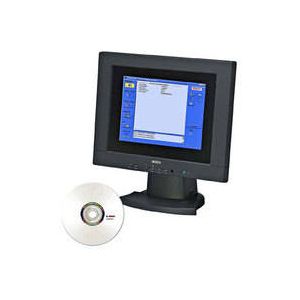
Bosch VP-CFGSFT Configuration Tool for Imaging Devices
- Upload, copy and paste configurations for multiple cameras over the video cable
- Set up and configure Bosch Dinion and AutoDome cameras
- Control AutoDomes over the video cable
- Perform camera firmware updates
- USB compatible
$299.44Low Price Guarantee - $50.17SKU: BVC-ESIP01A
Bosch BVC-ESIP01A Video Client 1-Camera License
- Allows you to add 1 additional IP camera to the Bosch Video Client software
- Video Client software is a Windows based application that enables real-time viewing and playback of cameras connected in a network
- PTZ cameras can be managed by dragging the mouse in the cameo position (to select a single image area within the video display area) or using the PTZ control console
- You can listen to the audio present within a selected camera via PC audio
$50.17Low Price Guarantee - $4,902.00SKU: BVC-ESIP112A
Bosch BVC-ESIP112A 112 IP Camera Add-On License for Bosch Video Client
- Live viewing of multiple cameras connected to a Divar 700, VRM or on the network
- Local recording and snapshots
- PTZ control and digital zoom
- Playback and export from on-camera storage, VRM and Divar 700
- Motion and forensic search
$4,902.00Low Price Guarantee - $1,385.32SKU: BVC-ESIP32A
Bosch BVC-ESIP32A Add-on License
- Allows you to add 32 additional IP cameras to the Bosch Video Client software
- Video Client software is a Windows based application that enables real-time viewing and playback of cameras connected in a network
- PTZ cameras can be managed by dragging the mouse in the cameo position (to select a single image area within the video display area) or using the PTZ control console
- You can listen to the audio present within a selected camera via PC audio
$1,385.32Low Price Guarantee - $2,077.97SKU: BVC-ESIP48A
Bosch BVC-ESIP48A Add-on License
- Allows you to add 48 additional IP cameras to the Bosch Video Client software
- Video Client software is a Windows based application that enables real-time viewing and playback of cameras connected in a network
- PTZ cameras can be managed by dragging the mouse in the cameo position (to select a single image area within the video display area) or using the PTZ control console
- You can listen to the audio present within a selected camera via PC audio
$2,077.97Low Price Guarantee - $2,771.28SKU: BVC-ESIP64A
Bosch BVC-ESIP64A Add-on License
- Allows you to add 64 additional IP cameras to the Bosch Video Client software
- Video Client software is a Windows based application that enables real-time viewing and playback of cameras connected in a network
- PTZ cameras can be managed by dragging the mouse in the cameo position (to select a single image area within the video display area) or using the PTZ control console
- You can listen to the audio present within a selected camera via PC audio
$2,771.28Low Price Guarantee




Network Frequently Asked Questions
What is a network surveillance camera?
A network surveillance camera is a digital video camera that transmits data over a network, allowing for remote viewing and recording. These cameras connect to a local area network (LAN) or the internet, enabling users to monitor their property from anywhere. They typically offer higher resolutions, advanced features like motion detection, and can integrate with various security systems.
How does a network camera differ from an analog camera?
Network cameras use digital signals to transmit video over a network, while analog cameras send video signals through coaxial cables. This difference allows network cameras to provide higher image quality, more flexibility in installation, and the ability to be accessed remotely. Additionally, network cameras often support advanced features such as analytics and cloud storage.
What are the benefits of using PoE (Power over Ethernet) for surveillance cameras?
PoE allows network cameras to receive power and data through a single Ethernet cable, simplifying installation and reducing clutter. This technology eliminates the need for separate power sources, making it easier to place cameras in various locations. PoE also enhances reliability and can be more cost-effective, especially in larger installations.
Can I access my network surveillance cameras remotely?
Yes, most network surveillance cameras come with remote access capabilities. This allows homeowners to view live feeds and recorded footage from their smartphones, tablets, or computers via an internet connection. Remote access often requires setting up an account with the camera manufacturer or using a specific app designed for the camera system.
What should I consider when choosing a network surveillance camera?
When selecting a network surveillance camera, consider factors such as resolution, field of view, night vision capabilities, and whether it supports PoE. Additionally, evaluate the camera's compatibility with existing security systems, storage options (cloud vs. local), and any advanced features like motion detection or two-way audio.
Filter
Shopping Options
