SecurityTronix Security Camera Monitors
Security camera monitors provide accurate, dependable viewing for live surveillance, investigations, and public-facing displays. Match screen size to the environment—compact technician test units, 19–27" desktop LCDs, or larger 32–55"+ LED panels for operations rooms and video walls. Pair resolution with your sources (Full HD/4K), and confirm inputs such as HDMI/DisplayPort/DVI/VGA/BNC—plus loop out, PIP/PBP, and tiling when needed. For 24/7 duty, prioritize commercial-grade panels with wide viewing angles, high brightness, anti-burn-in protection, metal chassis or tempered-glass overlays, and RS-232/IP remote control. Field/test monitors benefit from battery power, PTZ/ONVIF tools, and pattern generation; public-viewing models may add integrated cameras and messaging. Plan mounting and ergonomics with VESA/rack accessories, articulating or video-wall mounts, and ensure low latency and color consistency for critical monitoring. For storefronts and lobbies, consider attention-grabbing digital signage displays.


- $334.48SKU: ST-HDoC-MM
SecurityTronix ST-HDoC-MM 3.5" Test Monitor Meter For Analog, TVI, CVI, AHD, SDI & Analog With integrated Multi-Meter
- 3.5 inch screen display, 480 x 320 resolution
- Perfect for testing analog, HD-TVI, HD-CVI, HD-SDI and AHD cameras
- Adjustable LCD screen brightness / contrast / color saturation
- Automatically adapts and displays NTSC and PAL video formats
- Integrated Multimeter
$334.48Low Price Guarantee - $45.31SKU: CT-PLB-CE3-B
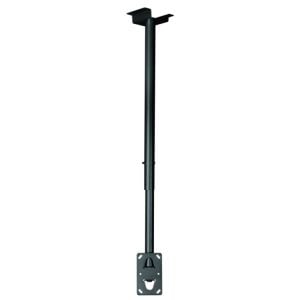
SecurityTronix CT-PLB-CE3-B Universal Ceiling Mount Adapter For PLB Series Plasma Mounts
- Universal ceiling bracket adapter for plasma/LCD mounts
- Max loading capacity: 176lbs
- Black Color
- Rotates 360 degrees
- Mast adjusts from 34.28″ - 61.47″
$45.31Low Price Guarantee - $239.20SKU: ST-HDLED21-5
SecurityTronix ST-HDLED21-5 21.5 Inch LED Backlit Monitor
- 21.5" LED Backlit Monitor
- 1 HDMI & 1 VGA Input
- Wide viewing angle
- 3D Comb Filter
- 3D De-interlace
$239.20Low Price Guarantee - $227.14SKU: ST-HDLED18-5
SecurityTronix ST-HDLED18-5 18.5 Inch LED Backlit Monitor
- 18.5" LED Backlit Monitor
- 1 HDMI & 1 VGA Input
- Wide viewing angle
- 3D Comb Filter
- 3D De-interlace
$227.14Low Price Guarantee - $166.80SKU: ST-LEDVGA-18.5
SecurityTronix ST-LEDVGA-18.5 18.5 Inch LED Monitor, VGA Input
- 18.5-Inch LED Monitor
- VGA input
$166.80Low Price Guarantee