
ToteVision Louroe Electronics Installation Tools & Supplies
Filter

- $24.30SKU: LED-710-4KIP-CBL
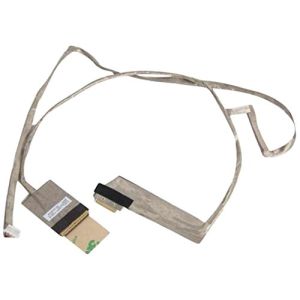
ToteVision LED-710-4KIP-CBL Set of 4 Cables for LED-710-4KIP Monitor
- Set of 4 Cables for LED-710-4KIP Monitor
$24.30Low Price Guarantee - $118.57SKU: TB-700
ToteVision TB-700 7" Durable Nylon Tote Bag with Sun Shield
- Fits MD-700 LCD field monitor
- Canvas like nylon bag
- Rear pouch holds cables and rechargeable battery pack
- Slot for cables enable usage while in the bag
- Carried by the included shoulder strap
$118.57Low Price Guarantee - $109.00SKU: LE-222
Louroe Electronics LE-222 Sound Generator
- Hand-held sound generator used for assistance in setting
- Generates 77dB sound pressure level at and 3560 Hz at 9V battery source. 9V battery included
$109.00Low Price Guarantee - $96.55SKU: TB-703
ToteVision TB-703 Tote Bag with Sun Shield for LCD-703HD and LED-709HD Monitors
- Nylon bag designed to carry a field monitor
- Sun shield blocks sunlight when the monitor is used in the case
- Slot for cables enables you to use the monitor while it is in the case
$96.55Low Price Guarantee - $57.12SKU: 710-Tracer
ToteVision 710-Tracer Cabling Tracer Tool for Use with LED-710-4KIP
- Works as a ′tone' receiver when the LED-710-4KIP transmits up to 5 different audio tones for tracing cables
- Works as a terminating source with its RJ-45 LAN port for testing continuity with the LED-710-4KIP field test monitor
- Includes built-in LED light for use in seeing more clearly in dark areas
- Essential testing tool for IP security and datacom technicians, and A/V installers
$57.12Low Price Guarantee - $14.85$14.85Low Price Guarantee
- $616.00SKU: LE-220
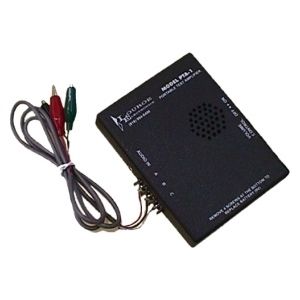
Louroe Electronics LE-220 Portable Test Amplifier
- Battery operated audio amplifier kit
- Used to conduct quality checks
- Contains a 2 1/2" speaker and 6' lead wires
- Two 9V batteries included
$616.00Low Price Guarantee - $119.80SKU: TB-1001
ToteVision TB-1001 Tote Bag for MD-1001 10.1" Tablet Monitor
- Tote Bag for MD-1001 10.1" Tablet Monitor
- Durable denier nylon bag that protects the monitor
- Increases visibility in bright lit areas, and includes a neck strap for hands-free use in the field
$119.80Low Price Guarantee - $87.11SKU: TB-565
ToteVision TB-565 Tote Bag with Sunshield for LCD-562 and LCD-565
- Sun shield is included to block the sun when the monitor is used in the case
- Pouch to hold cables and cords at the rear
- Slot for cables enable you to use the while it is in the monitor in the case
- Carried by the included shoulder strap
$87.11Low Price Guarantee




Installation Tools & Supplies Frequently Asked Questions
What tools do I need to install a surveillance camera?
To install a surveillance camera, you'll typically need a drill, screwdriver, and various installation tools like cable strippers and crimpers. Additionally, having a level and measuring tape can help ensure proper placement. Depending on the type of camera, you may also need specific cables, connectors, and mounting hardware, which are often included in the camera kit.
How do I choose the right cable for my surveillance system?
The right cable for a surveillance system depends on the camera type and distance from the recording device. Common options include coaxial cables for analog cameras and Ethernet cables for IP cameras. Ensure the cable is compatible with your system's specifications, such as gauge and shielding type, to maintain video quality and prevent interference.
What is the purpose of a keystone jack in surveillance installation?
A keystone jack is used to connect cables in a structured wiring system, providing a secure and organized way to connect surveillance cameras to networking equipment. It allows for easy insertion and removal of cables, facilitating maintenance and upgrades. Using keystone jacks can help manage cable clutter and improve the overall aesthetics of your installation.
Do I need special tools for terminating alarm wire?
Yes, terminating alarm wire requires specific tools, such as a wire stripper, crimper, and possibly a punch-down tool for connecting wires to terminals. These tools ensure proper connections and minimize signal loss, which is crucial for the reliability of your alarm system. Using the right tools can also prevent damage to the wires during the termination process.
What should I consider when selecting installation supplies for my surveillance system?
When selecting installation supplies, consider the type of surveillance system, the environment (indoor or outdoor), and the distance between components. Look for high-quality cables, connectors, and tools that match the specifications of your cameras and recording devices. Additionally, ensure that the supplies are compatible with the installation location to avoid issues like signal loss or physical damage.
Filter
Now Shopping by
Shopping Options 