
Hikvision Cisco Installation Tools & Supplies
Filter

- $183.00SKU: DS-1LN6-UE-B
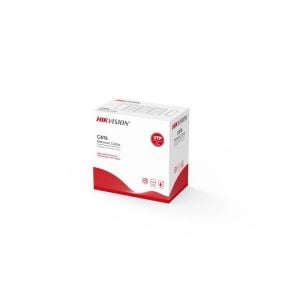
Hikvision DS-1LN6-UE-B 305 m CAT6 UTP Network Cable (Solid Copper, 0.53 mm, CM)
- Full diameter 305 m CAT6 network cable
- Core diameter: 0.53mm
- Excellent transmission performance using solid copper
- Guaranteed long PoE transmission distance
- Quality verified by Fluke test
$183.00Low Price Guarantee - $181.14$181.14Low Price Guarantee
- $136.60$136.60Low Price Guarantee
- $98.72$98.72Low Price Guarantee
- $75.60SKU: SFP-H10GB-CU5M=
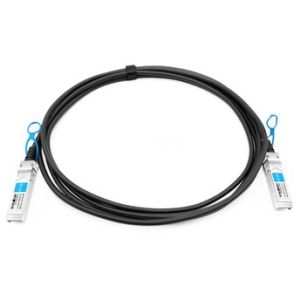
Cisco SFP-H10GB-CU5M= Compatible 10G SFP+ 5m Passive Direct Attach Copper Twinax Cable
- Lower cost than Cisco SFP-H10GB-CU5M
- Support for multi-gigabit data rates up to 10.5Gbps
- Support for 1x, 2x, 4x and 8x Fibre Channel data rates
- Hot-pluggable SFP 20PIN footprint
- I/O Connector designed for high-speed differential signal applications
$75.60Low Price Guarantee - $62.40SKU: SFP-H25G-CU2-5M=
Cisco SFP-H25G-CU2-5M= 25GBASE-CR1 SFP28 Passive Copper Cable 2.5-Meter
- Up to 25Gb/s data rate
- Operating case temperature of 0~70 °C
- Single 3.3V supply voltage
- BER better than 10-15
- Hot pluggable
$62.40Low Price Guarantee - $14.00SKU: DS-2PW1A5-W-US
Hikvision DS-2PW1A5-W-US AC Power Cable with C13 Plug (4.9')
- U.S. Standard 3-Prong C13 Connectors
$14.00Low Price Guarantee - $154.18SKU: DS-1LN6-UE-W
Hikvision DS-1LN6-UE-W 305 m CAT6 UTP Network Cable (Solid Copper, 0.53 mm, CM)
- Full diameter 305 m CAT6 network cable
- Core diameter: 0.53mm
- Excellent transmission performance using solid copper
- Guaranteed long PoE transmission distance
- Quality verified by Fluke test
$154.18Low Price Guarantee





Installation Tools & Supplies Frequently Asked Questions
What tools do I need to install a surveillance camera?
To install a surveillance camera, you'll typically need a drill, screwdriver, and various installation tools like cable strippers and crimpers. Additionally, having a level and measuring tape can help ensure proper placement. Depending on the type of camera, you may also need specific cables, connectors, and mounting hardware, which are often included in the camera kit.
How do I choose the right cable for my surveillance system?
The right cable for a surveillance system depends on the camera type and distance from the recording device. Common options include coaxial cables for analog cameras and Ethernet cables for IP cameras. Ensure the cable is compatible with your system's specifications, such as gauge and shielding type, to maintain video quality and prevent interference.
What is the purpose of a keystone jack in surveillance installation?
A keystone jack is used to connect cables in a structured wiring system, providing a secure and organized way to connect surveillance cameras to networking equipment. It allows for easy insertion and removal of cables, facilitating maintenance and upgrades. Using keystone jacks can help manage cable clutter and improve the overall aesthetics of your installation.
Do I need special tools for terminating alarm wire?
Yes, terminating alarm wire requires specific tools, such as a wire stripper, crimper, and possibly a punch-down tool for connecting wires to terminals. These tools ensure proper connections and minimize signal loss, which is crucial for the reliability of your alarm system. Using the right tools can also prevent damage to the wires during the termination process.
What should I consider when selecting installation supplies for my surveillance system?
When selecting installation supplies, consider the type of surveillance system, the environment (indoor or outdoor), and the distance between components. Look for high-quality cables, connectors, and tools that match the specifications of your cameras and recording devices. Additionally, ensure that the supplies are compatible with the installation location to avoid issues like signal loss or physical damage.
