
Bosch Mobotix Installation Tools & Supplies
Filter

- $28.88SKU: MX-CBL-MU-EN-AB-05
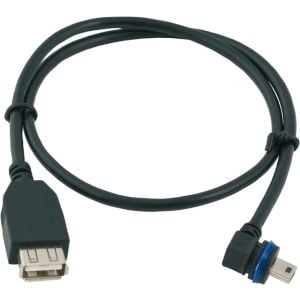
Mobotix MX-CBL-MU-EN-AB-05 USB Device Cable For M/Q/T25, 0.5m
- USB Device Cable For M/Q/T25, 0.5 m
$28.88Low Price Guarantee - $37.66SKU: MX-OPT-CBL-LAN-5
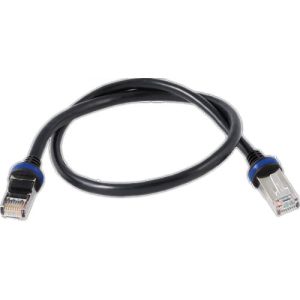
Mobotix MX-OPT-CBL-LAN-5 16.4 Feet (5 m) Ethernet Patch Cable
- Designed for D14D & Q24M Cameras
- 2x RJ45 Plugs
$37.66Low Price Guarantee - $27.49SKU: NBN-MCSMB-30M
IQsight by Bosch NBN-MCSMB-30M Monitor/DVR SMB to BNC Cable, 9'
- SMB (Female) to BNC (Female)
- 9 feet
$27.49Low Price Guarantee - $106.00SKU: DS1110I
Radionix by Bosch DS1110I Glassbreak Tester
- Glassbreak Tester
- Powered by a 9 V alkaline battery
$106.00Low Price Guarantee - $71.56SKU: MX-FLEX-OPT-CBL-3
Mobotix MX-FLEX-OPT-CBL-3 Sensor Cable for 6MP S15 Cameras and Thermal Sensors, 9.8'
- Connects Sensor to Camera Module
$71.56Low Price Guarantee - $18.45SKU: B99
Radionix by Bosch B99 USB Cable for B-Series Programming and Service
- USB Cable for B Series Programming and Service
$18.45Low Price Guarantee - $3,908.67SKU: DCNM-CBTK
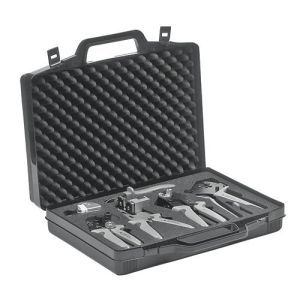
Bosch DCNM-CBTK Toolkit for Connectors and Cables
- Robust toolkit case
- Tool shaped foam interior
- Contains two high″ "˜quality and unique tools for attaching DICENTIS system connectors
$3,908.67Low Price Guarantee - $3,067.83SKU: LBB4418-00
Bosch LBB4418-00 Network Cable Toolkit
- Complete toolset for hybrid cable assembly
- High performance original Rennsteig tools
- Replaceable POF cutting system for repeated sharp cuts
- For high quality, reliable, cable assemblies
$3,067.83Low Price Guarantee - $2,101.12SKU: DCNM-CB250-I
Bosch DCNM-CB250-I System Installation Cable 250M
- Creation of custom length network cables
- Low smoke zero halogen to comply with safety and environmental standards
$2,101.12Low Price Guarantee



Installation Tools & Supplies Frequently Asked Questions
What tools do I need to install a surveillance camera?
To install a surveillance camera, you'll typically need a drill, screwdriver, and various installation tools like cable strippers and crimpers. Additionally, having a level and measuring tape can help ensure proper placement. Depending on the type of camera, you may also need specific cables, connectors, and mounting hardware, which are often included in the camera kit.
How do I choose the right cable for my surveillance system?
The right cable for a surveillance system depends on the camera type and distance from the recording device. Common options include coaxial cables for analog cameras and Ethernet cables for IP cameras. Ensure the cable is compatible with your system's specifications, such as gauge and shielding type, to maintain video quality and prevent interference.
What is the purpose of a keystone jack in surveillance installation?
A keystone jack is used to connect cables in a structured wiring system, providing a secure and organized way to connect surveillance cameras to networking equipment. It allows for easy insertion and removal of cables, facilitating maintenance and upgrades. Using keystone jacks can help manage cable clutter and improve the overall aesthetics of your installation.
Do I need special tools for terminating alarm wire?
Yes, terminating alarm wire requires specific tools, such as a wire stripper, crimper, and possibly a punch-down tool for connecting wires to terminals. These tools ensure proper connections and minimize signal loss, which is crucial for the reliability of your alarm system. Using the right tools can also prevent damage to the wires during the termination process.
What should I consider when selecting installation supplies for my surveillance system?
When selecting installation supplies, consider the type of surveillance system, the environment (indoor or outdoor), and the distance between components. Look for high-quality cables, connectors, and tools that match the specifications of your cameras and recording devices. Additionally, ensure that the supplies are compatible with the installation location to avoid issues like signal loss or physical damage.
