
How to Reset Hikvision NVR/DVR Password using SADP
This 10 step reset procedure for every current NVR and DVR available from Hikvision.
Models: DS-7604NXI-K1/4P | DS-7608NI-M2/8P | DS-7608NXI-I2/8P/S | DS-7608NXI-K2/8P | DS-7616Ni-M2/16P | DS-7616NXI-I2/16p/S | DS-7616NXI-K2-16P | DS-7716NI-M4/16P | DS-7716NXI-I4/16P/S | DS-7732NI-M4 | DS-7732NI-M4/16P | DS-7732NI-M4/24P | DS-7732NXI-I4/16P/S
- First thing we will need to get started is to download and install the Hikvision tool SADP. Click on the link below to download the latest version of the SADP software.
- After downloading the software, launch the installation wizard to complete the installation process.
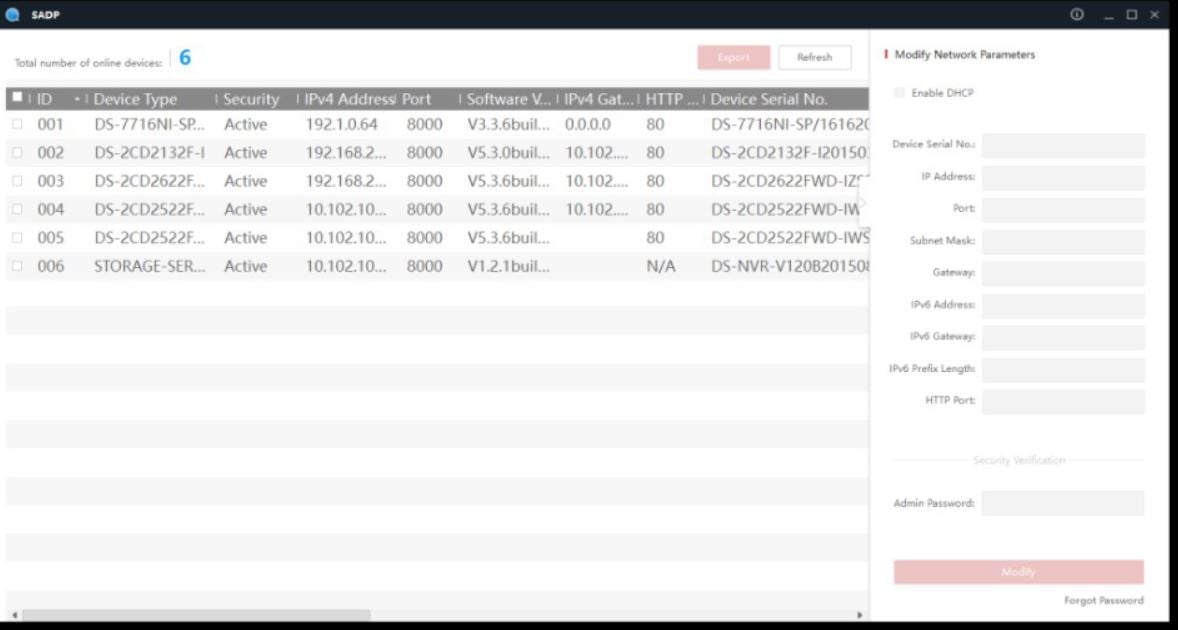
- Locate the device you would like to reset by checking the checkbox to its left, and press the Forgot Password option on the bottom-right corner of the user interface.
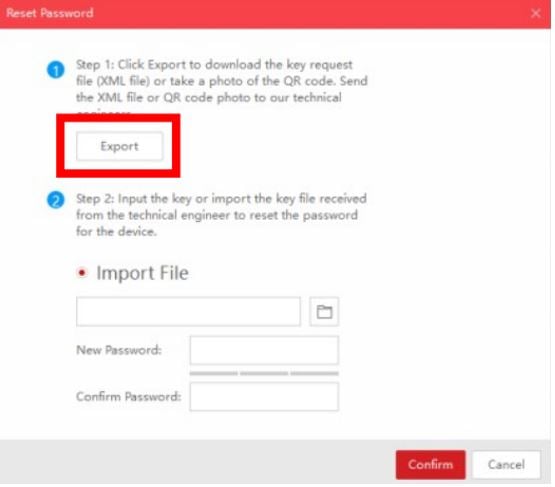
4. A pop-up window containing instructions will appear. Press the EXPORT button to export the password reset key.
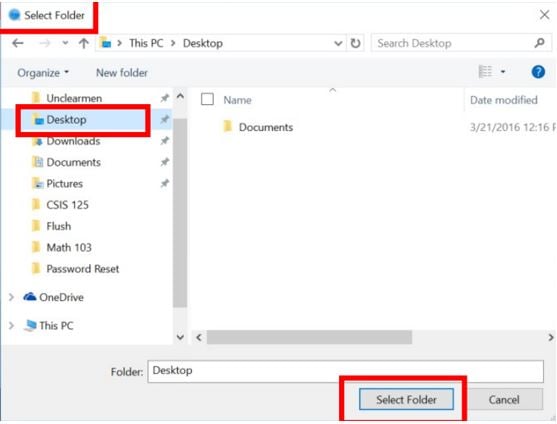
5. After pressing the EXPORT button, a new SELECT FOLDER window will appear. For ease of use, select DESKTOP as the export directory and click on the Select Folder button on the bottom.
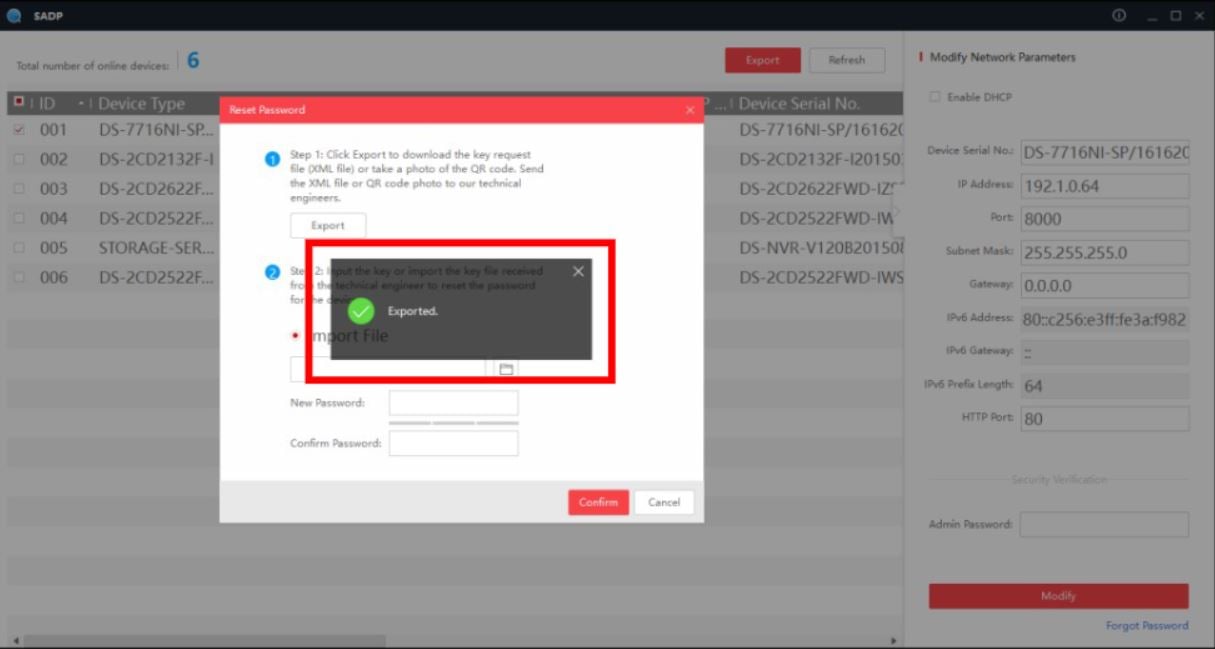
6. After you should see a confirmation message :
7. After locating the exported file on you desktop, fill out the password from on the Hikvision website linked here : https://us.hikvision.com/en/pwreset
** Device Serial can be found under ” Device Serial No. in SADP **
8. After the form as been filled out you will be emailed a file, this file will be imported into SADP to complete the reset process :
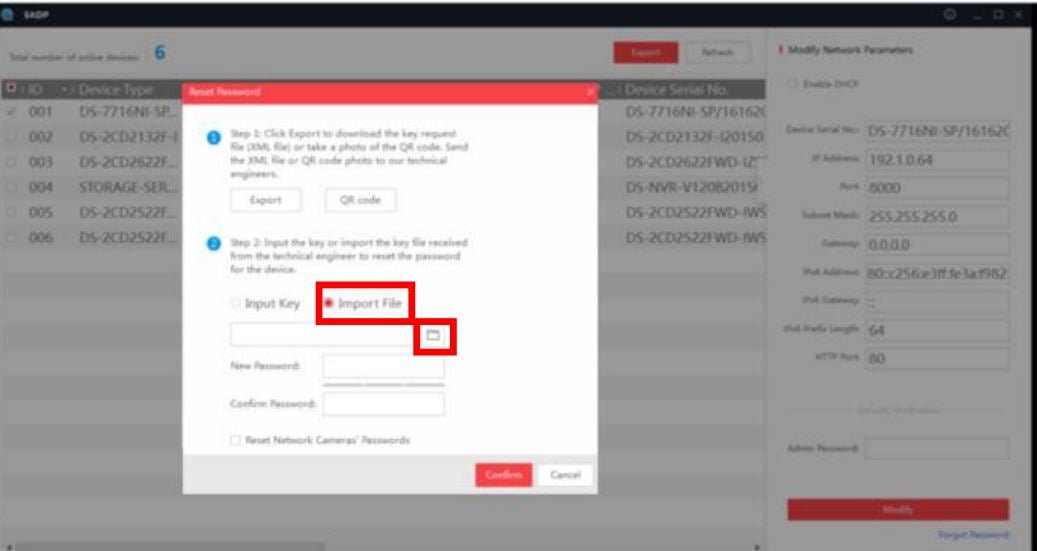
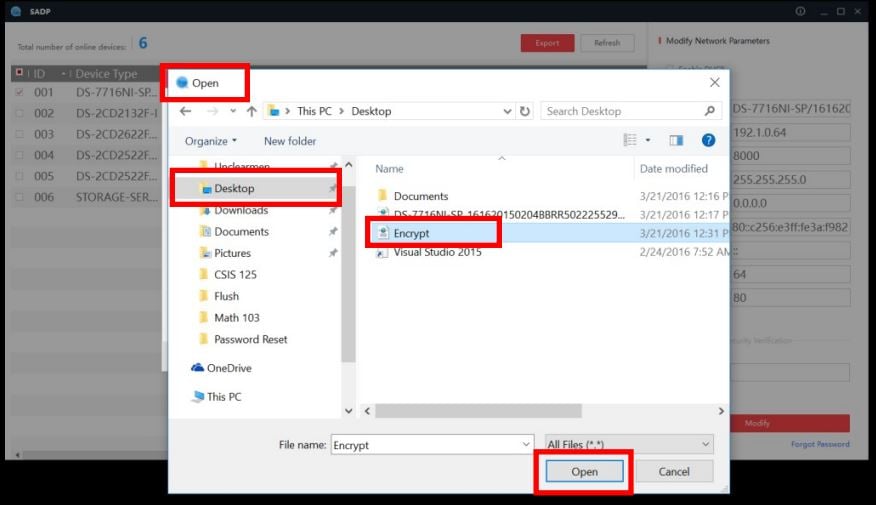
9. Locate the reset file on desktop that was emailed from Hikvision :
10. After the file has been added into SADP you will be prompted to enter new password and to confirm password.
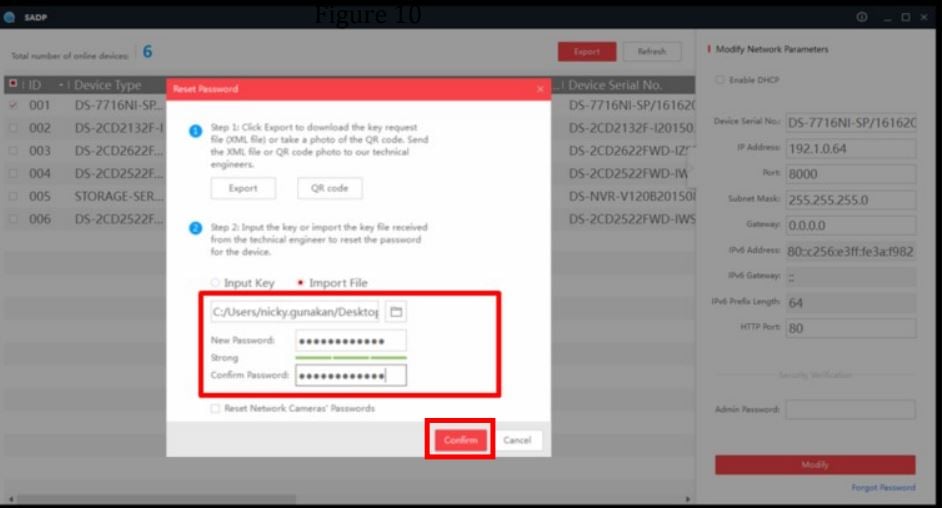
Your password has been Reset
